Virtual consultations shouldn't mean manual note-taking. NirvaScribe's Telehealth Mode integrates with your video conferencing platform to capture and transcribe both you and your patient, delivering the same documentation quality as in-person visits.
NirvaScribe seamlessly integrates with your telehealth platform to capture both sides of the conversation during virtual consultations.
Note: This feature is compatible with Zoom, Microsoft Teams, Google Meet, Coviu, and other video conferencing services
However, this feature works with
When you click the dropdown next to "Start Recording" button, select Telehealth mode.
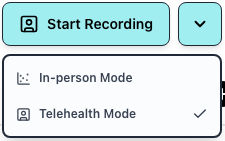
Click the "Start" button to begin recording your telehealth session.
When the screen share popup appears, select the browser tab where your telehealth consultation is running.
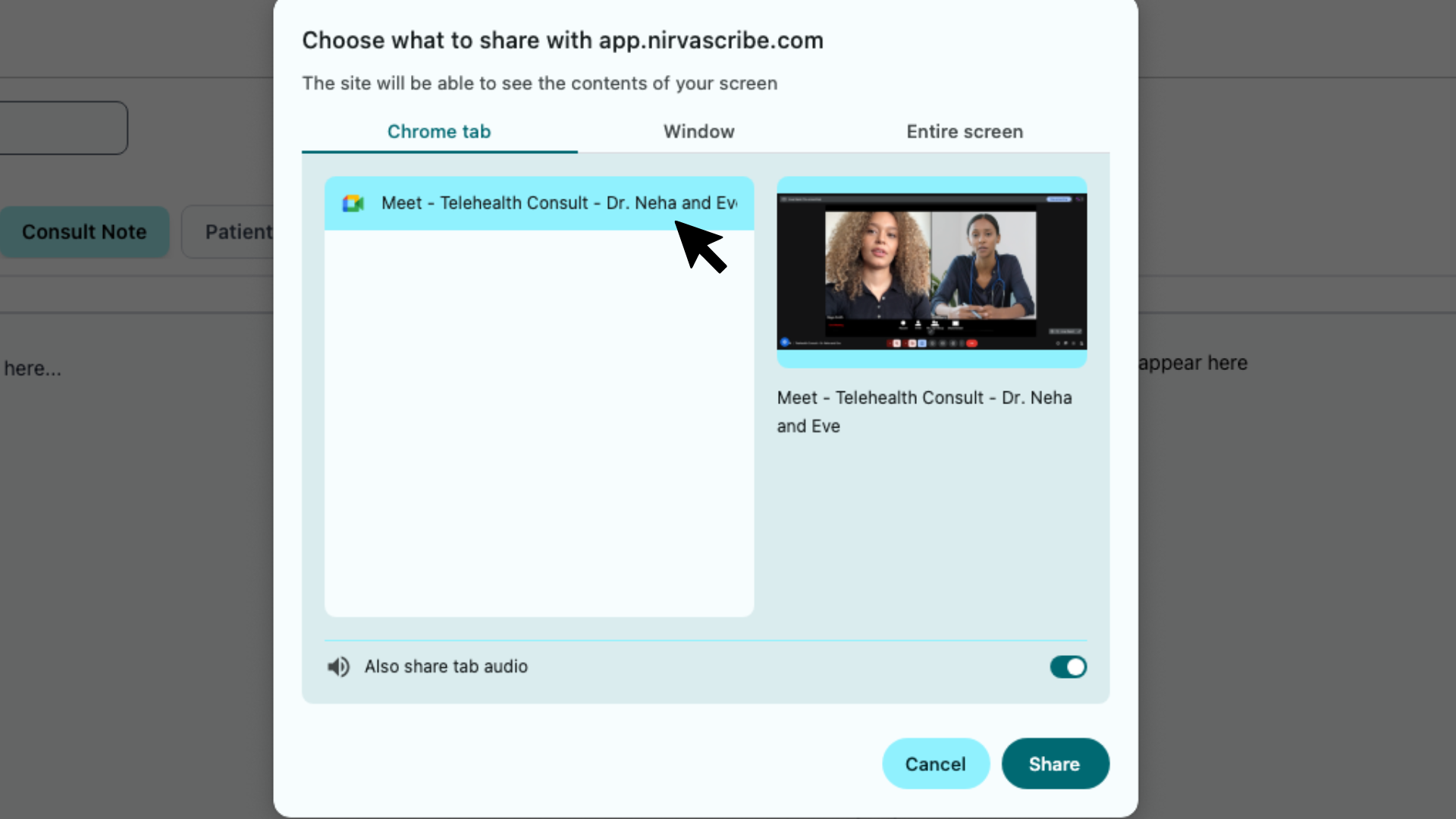
Ensure you check the box labeled "Also share tab audio" before proceeding.
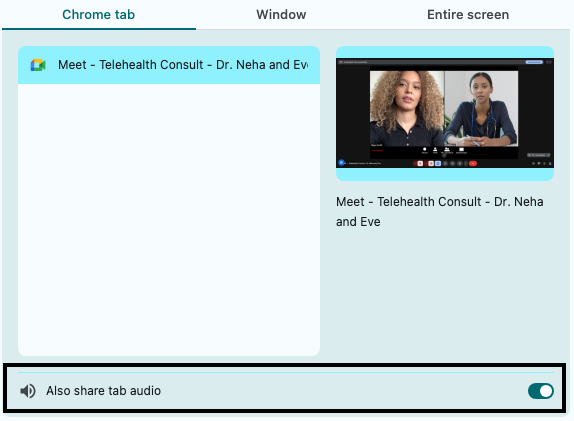
Confirm your selection to begin capturing the consultation. NirvaScribe will now transcribe both you and your patient in real-time.
To avoid manually selecting audio sharing every time, you can configure your browser to remember your preferences:
Remember this decision or similarRemember this decision checkbox in the screen share dialogRemember this decision or similarWe recommend using Google Chrome or Microsoft Edgefor the most reliable screen sharing experience with audio. These browsers offer the best support for persistent audio sharing settings.
If you continue to experience issues with screen sharing or audio, Contact our support team at support@nirvascribe.com
Whether you're a GP or an allied health professional, NirvaScribe is ready to support your day-to-day documentation needs. Start using one of the most trusted SOAP notes medical tools in Australia, and see how your workflow improves.