Learn how NirvaScribe turns your consultation into a structured clinical note in seconds. This guide walks you through recording, reviewing, and saving your notes — plus how to use templates to customise what gets generated every time.
NirvaScribe automatically generates structured clinical notes from your consultation — no typing, no dictating after hours. Here's how to create your first note in seconds.
Click the Start button on your dashboard. You'll see a timer begin, confirming that recording is active. Speak naturally — NirvaScribe is listening.

When your consultation is finished, click Stop Recording. Wait a few seconds while NirvaScribe processes the audio. Your clinical notes are automatically generated — no additional steps required.
NirvaScribe creates two default documents for every consultation:
Review both carefully before saving or copying across to your practice management system.
Note: The patient's name is automatically detected and populated in the top left corner of your notes.
To make changes, click anywhere in the note text and type your edits directly. For more significant revisions, type your request in the text box below the note and the AI will regenerate the note based on your instructions.
Want to verify what was said during the consultation? Click Show Transcript next to your notes to view the complete recording transcript at any time.
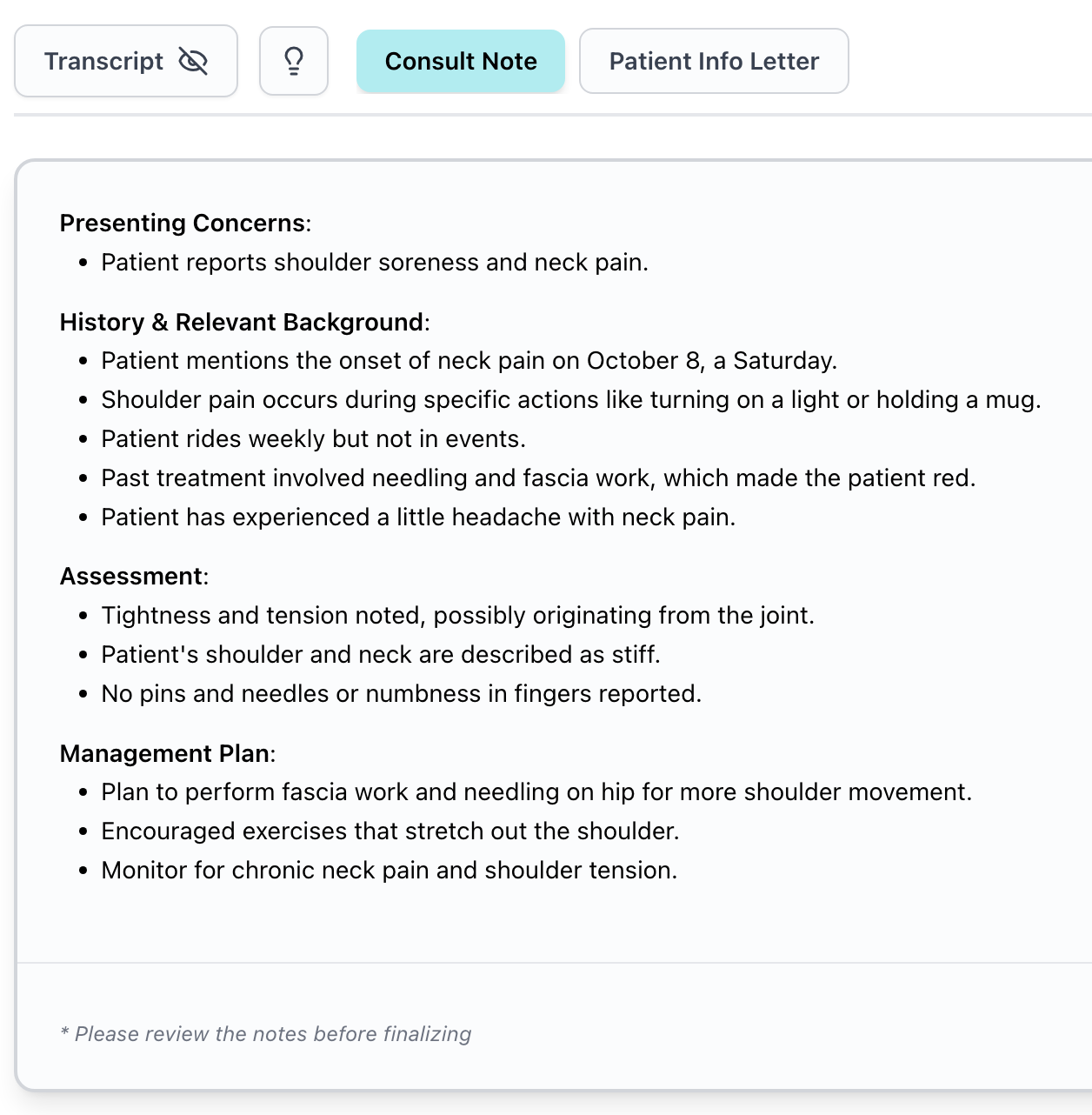
Once you're satisfied with your notes, copy them across to your practice management or patient record system. NirvaScribe is compatible with any system that accepts pasted text.
All completed sessions are saved under the My Sessions tab. You can search by patient name and select any session to review or copy your notes.
NirvaScribe includes a flexible template system that lets you control exactly what gets generated with every consultation.
Click the + button within your session to browse available templates. You can:
For the full template library, navigate to the Templates tab. NirvaScribe recommends templates based on your profession, so you'll see relevant options surfaced for your specialty.
You can build your own templates directly from the Templates tab to match your specific workflow, documentation style, or patient population. For a full walkthrough, see our guide: How to Set Up Custom Templates →
Need help? Contact our support team at support@nirvascribe.com
Sixty sessions a month, free forever. Two minutes to set up. No card.
